

Capture, explore, and share immersive 3D creations.

A platform to capture, publish, share and browse 3D digital assets on every device you own. Experience the creations in fully immersive mode on XR devices.

Available on Mac, Windows, iOS, Android, Apple Vision Pro, Meta Quest and Android XR.

Apps

One app to share and discover.
One app for local private processing.

AirVis is a platform to capture on your phone or publish, share and browse 3D digital assets on every device you own.

AirVis Studio is a free, fully standalone app for local creation. It needs no account or internet access. Optionally share your results on the AirVis platform when you want to.

AirVis

Windows · macOS · iOS · iPadOS · visionOS · Android · Meta Quest

Capture Process Explore Share

AirVis is where scenes are shared and discovered, on every device you already own. Capture a space with the in-app camera on iOS and Android, or send footage for Cloud Processing from the Mac and Windows apps. Share a link and it opens directly in a browser with no app or account.

  • CreateIn-app camera on iOS and Android · Cloud Processing on Mac and Windows
  • RenderingNative Metal and Vulkan splat renderers
  • StreamingInstant loading with level-of-detail streaming
  • ImmersiveFull immersive mode on Apple Vision Pro, Android XR, and Meta Quest
  • SharePublish a link, discover shared scenes, or keep a scene offline

AirVis Studio

macOS (Apple Silicon) · Windows

Prepare Reconstruct Export

Studio is a free, native desktop app for macOS and Windows. It runs the entire workflow locally and supports a wide range of hardware, including AMD, Intel, and NVIDIA GPUs and Apple silicon. No account, sign-in, or internet access is required. Your footage stays local until you choose to export to AirVis for publishing and sharing.

  • InputsImages folder, Standard video, 360 video, Colmap SFM
  • CollisionAuto generate Voxel or Mesh collision on export
  • DetailAutomatic level-of-detail on export
  • MaskingChoose to mask people or isolate objects before reconstruction
  • ExportKeep scenes on disk or send them to AirVis to publish and share

Solutions

Made for anyone curious about what a space could become.

People take the same capture to very different places: a construction site, a film shoot, a robotics lab, a heritage site, and even into a game engine.

Built environment

Construction & Real estate

Compare what was built against what was drawn, and hand a remote buyer a walkable space instead of a photo set.

Survey

One visit, every measurement

Capture the whole site in a single pass and pull dimensions from it later, so a forgotten measurement does not cost another trip.

Media

Film & virtual production

Scout locations in a headset, block shots against the real geometry, and share the scene with the crew. Even render entire shots within the app.

Robotics

Training & simulation

Give a robot a real space to learn in, and test navigation against the actual space before it ever ships.

Archival & research

Site preservation

Preserve old monuments and document a site exactly as it stands today, leaving a record to measure against years from now.

Gaming

Import to game

Bring a real location into engines like Unreal or Unity, instead of modelling it from reference photos.

Platforms

Every scene opens everywhere.
What you can do with it depends on the device.

Every scene opens on every platform. What changes from device to device is what you can create, host, and stream on it, so here is the whole matrix rather than the highlights.

AirVis capability support by client platform
Capability macOS Windows iOS / iPadOS Android visionOS Meta Quest Android XR
Native graphics API MetalVulkan MetalVulkan MetalVulkan Vulkan
Level-of-detail streaming
Render with collision
Immersive / VR
CloudXR client — Basic streaming
CloudXR client — Foveated streaming
CloudXR host / server
Capture
Local reconstruction and training
Generate collision and LOD
Game controller input
Widgets
Share links
Available Not applicable on this platform Using the AirVis Studio app

Capture

Any camera, any footage, one scene.

Three capture modes run on the phone in your pocket, and Cloud Processing takes media you already have. AirVis Studio is the offline alternative: the same job, done entirely on your own machine.

AirVisCapture on your phone, or send media up from your desktop
Gaussian Splat

Walk Through

Capture images or video of a scene from multiple angles to create an immersive Gaussian Splat.

Free
100 s video
Pro
200 s video

Uses 1 daily capture

Gaussian Splat

Generative World

Start from an image or short video, add an optional prompt, and create a generative immersive Gaussian Splat.

Mini
Free and Pro
Plus
Pro only

Mini uses 1 daily capture · Plus uses 3 per upload

Photogrammetry

Object

Automatically capture images while moving around an object, then process them into a textured 3D model.

Free
100 photos
Pro
200 photos

Uses 1 daily capture

In the cloud

Cloud Processing

Send media you already have up from the Mac or Windows app and a finished Walk Through scene comes back.

Free
Not included
Pro
1 per day

Images · standard video · 360 video

AirVis StudioEverything stays on your machine
Local processing

Bring your own media, process it offline

Load your own images, video, 360 footage or Colmap SFM and build the scene on your computer. No account, no upload, no daily limit.

Takes
Images folder, Standard video, 360 video, Colmap SFM
Limits
None

Free on macOS and Windows · runs offline

All credits reset at midnight PT.

Pipeline

From footage to a scene you can walk through.

Capture, Process, Deploy. Both apps run the same three stages. What changes is who does the work, and whether anything ever leaves your device.

AirVisProcessing happens in the cloud

01

Capture

Record it in the app on your phone, or send up media you already have from the Mac or Windows app.

  • Walk Through
  • Generative World
  • Object (Photogrammetry)

02

Process

Cloud GPUs solve for the camera positions and train. Nothing to install, nothing to set up, easiest way to capture a space on the go.

  • People mask
  • Find camera positions
  • Photogrammetry or Gaussian splat training
  • Runs on cloud servers

03

Deploy

The finished scene lands in your library, private by default, ready to open on any device.

  • Automatic collision (coming soon)
  • Automatic level of detail
  • Instant loading
  • Private unless you set it public
AirVis StudioEverything stays on your machine

01

Input

Create a workspace in removable disk or local disk and choose an input.

  • Images folder
  • Standard video
  • 360 video
  • Colmap SFM

02

Process

Your own GPU solves the camera positions and trains the splats. A Photogrammetry option is also available on Mac to make a mesh instead of splats.

  • People mask or Object isolation
  • SFM (Structure from Motion)
  • Photogrammetry or Gaussian splat training
  • Runs on your machine

03

Deploy

The scene stays in a folder on your disk. Export and publish it to AirVis when you want to share it with others.

  • Automatic collision
  • Automatic level of detail
  • Instant loading
  • Stays on disk by default

Deployment

Two apps, two answers to where your data lives.

Capture data is frequently sensitive: a client's home, a secure facility, an unreleased set. AirVis Studio never goes online at all. AirVis adds Cloud Processing and sharing, and both are choices you make per capture, so what you record stays private unless you decide to publish it.

Privacy

Private until you publish

Anything you capture in AirVis stays in your own library. Nobody else can see it until you edit the file setting to public and publish. A capture you set to private and publish is visible only to you, and one that is never published is never live.

Sharing

Links you can take back

Published public scenes can be shared from a link. Recipients open them in any AirVis client, or straight in a browser, without an account. Any time you set the file back to private, the link becomes inactive.

Technology

What is going on under the scene.

A finished scene is millions of splats. Getting that to open on a phone or a standalone headset means doing the heavy work once, up front, and then streaming only the detail the view can actually resolve.

Scene credits: Andrii Shramko

Instant loading with LOD streaming

The scene opens straight away and pulls in finer detail as you move toward it. Only what the view can resolve stays resident, so scenes far larger than device memory stay navigable.

Built once, streams everywhere
View-driven detail selection

Rendered past 250 million splats

Scenes of more than 250 million splats have been rendered at 120 frames per second, with no level-of-detail popping as you move through them. A large capture does not have to be cut down to stay smooth.

250M+ splats in a single scene
120 frames per second, no popping

Metal and Vulkan

Every client renders through the platform’s own graphics API, Metal on Apple hardware and Vulkan on Windows and Android. Studio trains splats the same way, so it runs on most current Macs and PCs.

Metal on Apple hardware
Vulkan on Windows and Android

Automatic collision

A splat cloud has no surfaces to stand on. Collision is derived automatically so first-person navigation obeys floors, walls and stairs instead of flying through them.

Auto generated after training
Enable it to prevent flying through things

Render Video

Set camera keys along a path, scrub and preview the move live, then render the fly-through straight out of the scene. No screen recording and no second tool.

Timeline keys · loop and pause
720p to 4K · Landscape / Portrait

Subject masking

Detect people and mask them out of capture, so passers-by do not become permanent smears in the scene. Isolate a single object instead, and everything around it is dropped before training.

People masks
Object isolation

CloudXR

When the scene is bigger than the headset.

A standalone headset has a mobile GPU and a thermal budget. A workstation does not. CloudXR renders the full-resolution scene on the workstation, encodes it, and delivers it to the headset over your local network, at the workstation's quality, with head tracking that stays on the device. CloudXR support is built into the AirVis app and is not available in AirVis Studio.

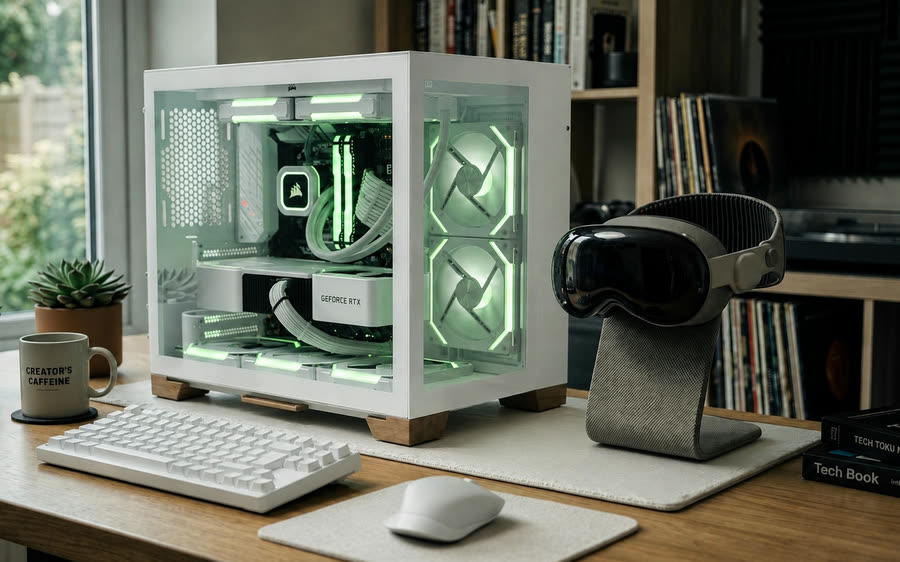
A Windows workstation streaming to an Apple Vision Pro on the same desk
Session shape

One workstation, any headset in the room.

The host holds the scene, renders it at full resolution and hardware-encodes each frame. The client decodes, reprojects against its own tracking and displays. Nothing about the scene is copied to the headset, so there is no second version to keep in sync.

Auto discoveryFully local
CloudXR session topology. Rendering and encoding stay on the host; tracking and reprojection stay on the client.
Basic streamingFoveated streaming
Frame encodingUniform across the full field of viewDetail follows your gaze, computed automatically by visionOS
Bandwidth profileHigher and flatLower for the same perceived sharpness
RequiresvisionOS 26.0+, Meta Quest, Android XRvisionOS 26.4 or newer
FrameworkShips inside the appBuilt into visionOS, updates with the OS
PairingManual IPAuto discovery, with manual IP fallback
Host requirement *NVIDIA GPU with NVENC encodeNVIDIA GPU with NVENC encode
Best forMixed device fleetsHigher quality, lower latency

* The host needs an NVIDIA GPU with NVENC hardware encoding: GeForce RTX 40 / 50 series, RTX 5000 / 6000 professional cards, or L40 / L40S. Compute-only cards such as A100 and H100 are not supported.

Pairing

Nothing gets transferred

Open a scene from your AirVis library on the headset and the host resolves the same file and starts streaming it, and no copy lands on the device. Files that only exist on the workstation work too: the host opens them locally and streams the result the same way.

Network policy

Explicit firewall rules

The host installs a scoped firewall policy for the streaming ports rather than asking you to open the machine. Rules are named, auditable and removed when you uninstall.

Stays on premises

Your LAN, your GPU

A CloudXR session is host to headset over your own network. There is no relay through our infrastructure and no requirement for the workstation to reach the internet.

Requirements

System requirements.

Every supported AirVis client should be able to open any splat scene in the platform.

AirVis Studio trains splats through Metal and Vulkan rather than relying on a single vendor's stack, so it runs on most current Macs and PCs without requiring a specific graphics card. Larger and more complex scenes, however, demand more processing time, memory, and GPU capacity.

RoleOperating systemProcessor / GPUMemoryNotes
AirVis — desktopmacOS 26+ · Windows 10 / 11 x64Any Metal 3 or Vulkan 1.1 supported GPU8 GBCloud Processing available on Pro. Discrete GPU recommended above 4 million splats
AirVis — mobileiOS / iPadOS 26+ · Android 12+Any Metal 3 or Vulkan 1.1 supported GPU6 GBIn-app camera capture. Level-of-detail streaming keeps memory bounded on older devices
AirVis — XR headsetvisionOS 26+ · Horizon OSDevice GPU, or streamed via CloudXRDevice standardLocal network permission required for CloudXR discovery
AirVis Studio — MacmacOS 26+Apple Silicon16 GB Unified Memory
100 GB Storage for data
Runs fully offline
AirVis Studio — WindowsWindows 10 / 11 x64Any Vulkan 1.1 GPU, 8 GB VRAM recommended32 GB recommended
100 GB Storage for data
Runs fully offline. No vendor-specific GPU required
CloudXR hostWindows 10 / 11 x64NVIDIA GPU with NVENC hardware encoding24 GB VRAM recommendedWired 1 GbE or Wi-Fi 6E on the same subnet as the client

Pricing

Fair pricing that works for all.

You can always capture, view and share for free. Pro raises your daily capture credits, unlocks the larger models, gives more cloud storage and adds the Cloud Processing option.

AirVisFree to start, Pro when you want more

Free

$0

Everything you need to capture, explore and share your first scenes.

  • 2 daily capture credits
  • Walk Through — 100 s video
  • Generative World Mini
  • Object — 100 photos
  • 5 GB cloud storage
FeatureFreeProDetails
Daily capture credits2 per day5 per dayUsed by capture modes and reset daily.
Walk Through100 s video200 s videoUses one daily capture.
Generative World MiniUses one daily capture.
Generative World PlusPro only. Uses three daily captures per upload.
Object100 photos200 photosUses one daily capture.
Cloud Processing1 per dayProcesses local media from the Mac / Windows app.
Cloud storage5 GB20 GBTotal space for scenes in your library.
Cloud Processing limits AirVis Pro · 1 per day · Mac and Windows apps
Input type Longest edge Rate Max images Time @ 4 FPS Effective cap
Standard video1024 px3 / 4 / 5 fps2,0008 min 20 sShorter of 15 min or frame count
Standard video1600 px3 / 4 / 5 fps1,5006 min 15 sShorter of 15 min or frame count
Standard video2048 px3 / 4 / 5 fps1,0004 min 10 sShorter of 15 min or frame count
360 video · 16 views1024 px square3 / 4 / 5 fps14,4003 min 45 s16 views per frame
360 video · 16 views1600 px square3 / 4 / 5 fps7,2001 min 52.5 s16 views per frame
Images2048 px1,000First 1,000 sorted images

Walk Through, Generative World Mini and Object each use one daily capture. Generative World Plus is a Pro-only model and uses three daily captures per upload. Pro is $19.99 per month, purchased in-app through the App Store or Google Play. Feature availability, limits and quotas may change with app version, platform, device, account status and service availability.

Cloud Processing belongs to the AirVis apps, not to Studio: it comes with AirVis Pro and is limited to one job per day. Studio has no cloud path at all: no account, no upload, no network step anywhere in Studio's three stages.

AirVis StudioFree, with no limits

Free

$0

Everything runs on your own machine, so there is nothing to meter.

  • No account or sign-in
  • No daily capture credits
  • Unlimited scenes
  • Storage limited only by your own disk